By default windows explorer does not show hidden files. We can change this behavior in the following way.
- Open ‘My computer‘
- Click ‘Tools‘ in the toolbar and select ‘Folder options‘
- Select ‘View‘ tab
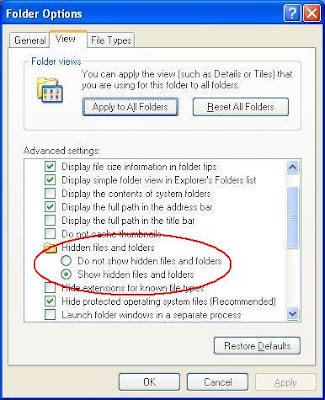
- As shown in the above picture select ‘Show hidden files and folders‘
- Click ‘Apply‘ and ‘OK‘